
01
Install the publishing skill
Add HTMLShare to Codex, Claude, or Cursor once. The local command stays close to the AI tool that is generating the page, so the handoff does not require Git, a dashboard project, or a separate deployment setup.
Special offerPro & Max plans — 20% offSave 20% on monthly and yearly billing.
Save 20% on monthly and yearly billing.
AI prototype publishing
Publish HTML from Codex, Claude, ChatGPT, Cursor, or your browser as a shareable preview link for product reviews—without Git or a production deployment.
One command installs the local Skill for Codex, Claude, and Cursor. After installing, use /htmlshare in any of them to publish the current HTML project.
Publish from Codex
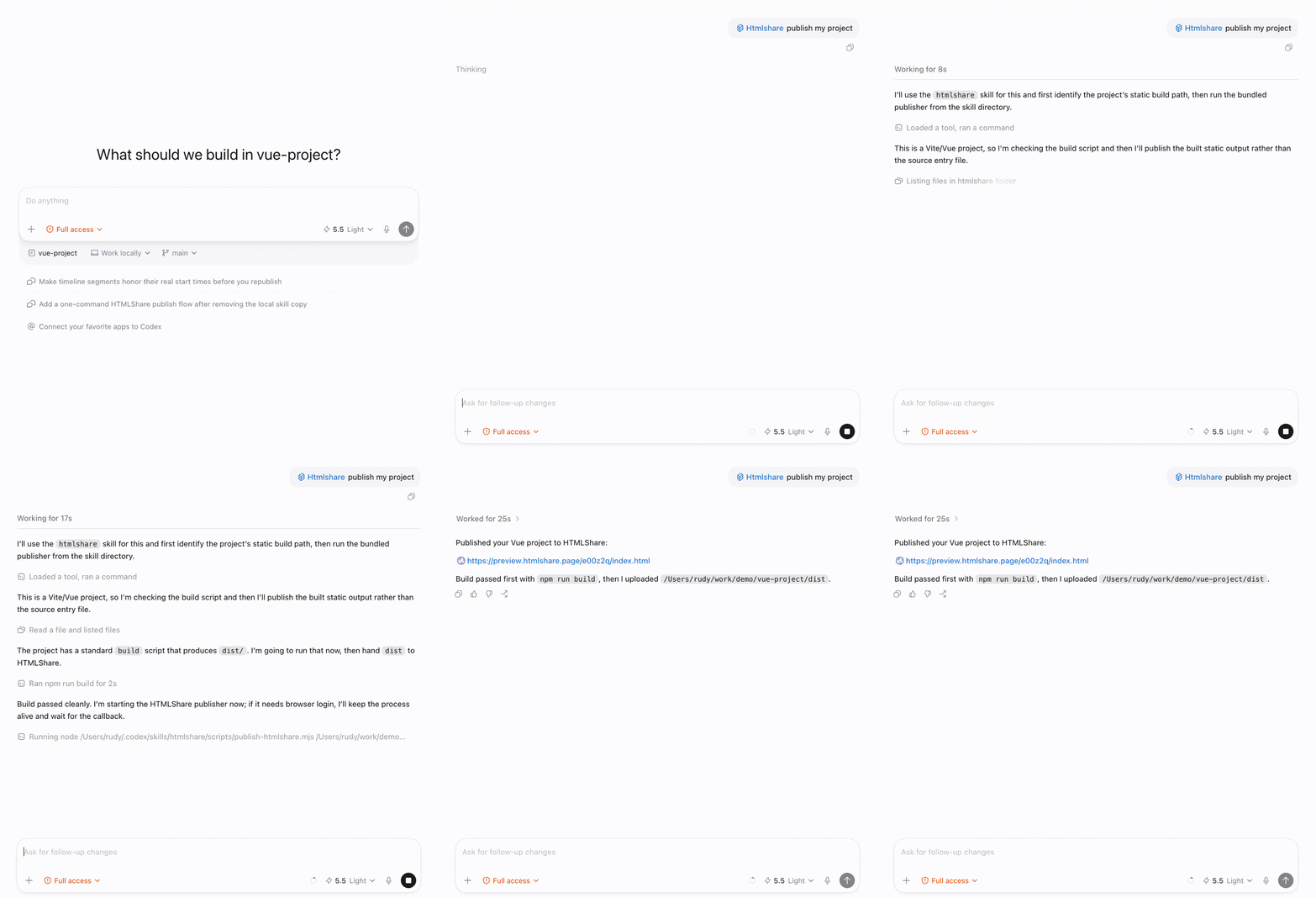
Published link
preview.htmlshare.dev/hkyivk/index.html
Single HTML
noindex · static only · PNG/CSS/JS assets · CDN-ready
HTML upload
noindex · static only · PNG/CSS/JS assets · CDN-ready
ZIP package
noindex · static only · PNG/CSS/JS assets · CDN-ready
Send pages from your AI tool through the installed Skill.
Preview HTML pages, ZIP websites, desktop, tablet, and mobile before sharing.
Copy a link or QR code for PRD feedback, product reviews, and client review.
At a glance
HTMLShare is a static preview publisher for AI-generated HTML. It turns a draft into one browser link so people can review it before you choose production hosting.
AI website sharing
HTMLShare is a preview publishing layer for AI-generated frontend projects. Codex, Claude, ChatGPT, Cursor, Lovable, Bolt, and v0 can produce useful HTML quickly, but the next step is often awkward: the page is not ready for a production host, yet a teammate or client still needs to open it in a real browser.
Instead of turning every AI draft into a repository, deployment project, or public site, HTMLShare creates a noindex preview link for the review phase. Upload generated HTML, a ZIP project, or a static build folder, then share one URL for feedback on layout, copy, responsiveness, and interactions.
Workflow
The flow is built for fast iteration: keep generating in your AI tool, publish only the static output, and share the draft when it is ready for human review.
Add HTMLShare to Codex, Claude, or Cursor once. The local command stays close to the AI tool that is generating the page, so the handoff does not require Git, a dashboard project, or a separate deployment setup.
Send a single HTML file, a PRD prototype, a ZIP project, or a static build folder. HTMLShare keeps relative assets together, hosts the result as a static preview, and gives the draft a noindex URL.
Open the hosted page in a browser, copy the link or QR code, and send it to teammates, clients, product reviewers, or QA. Reviewers see the page itself instead of a chat transcript or local file.
Positioning
HTMLShare is intentionally narrower than a production hosting platform. It is optimized for the messy middle between an AI-generated draft and a final deployment decision.
Good for simple file hosting, but it is not built around AI coding agents. HTMLShare makes Codex, Claude, and Cursor the starting point, then turns their output into a review link without asking the user to switch mental models.
Useful when a static site is close to production. HTMLShare is earlier in the workflow: a lightweight noindex preview for generated HTML that still needs feedback, revision, comparison, or sign-off before a real deployment.
Strong for repository-backed public sites. HTMLShare is faster for throwaway prototypes, one-off landing pages, and AI-generated drafts where creating a repo, committing files, and configuring Pages would slow the review loop.
Use cases
The best HTMLShare moment is before production: when the draft is real enough to inspect, but still fluid enough that the team expects revisions.
Turn a generated feature mock, dashboard, pricing page, or onboarding flow into a browser link that product managers can inspect before engineering work begins.
Send a clean preview of a vibe-coded landing page or campaign concept without exposing the AI chat, asking the client to download files, or publishing the draft on a production domain.
When a PRD becomes a quick HTML prototype, HTMLShare gives the team one URL for reviewing layout, copy, interactions, mobile behavior, and stakeholder notes.
AI paths
Use the homepage command for agent-driven publishing, or choose a focused guide when you are comparing hosting options, sharing a Codex preview, or publishing a vibe-coded website for review.
Resources
Start with the question you need to answer next: how to publish, which viewer fits, what to compare, or which workflow matches your audience.
Browse static export publishing workflowsPractical answers for previewing, sharing, hosting, and troubleshooting static HTML.
Choose between local browsers, editors, online previews, and shareable hosted links.
Compare review links with code playgrounds and production-oriented hosting workflows.
Find a starting point for developers, designers, agencies, and product teams.
HTMLShare is a publishing layer for AI-generated frontend work. It turns generated HTML, ZIP projects, and static build folders into browser-accessible preview links that are meant for review rather than long-term production hosting.
Vibe-coded pages often change quickly and may not deserve a repository or production deployment yet. HTMLShare keeps that early loop lightweight: generate in an AI tool, publish the static output, share a noindex link, then revise.
No. Those platforms are better when a site is ready for production workflows, custom domains, CI/CD, or public indexing. HTMLShare is for the review stage before that decision has been made.
Yes. The homepage command installs an HTMLShare publishing skill for Codex, Claude, and Cursor in one step. You can also publish manually from the browser when you have an HTML file or ZIP project.
HTMLShare preview links are designed as noindex review URLs. That makes them safer for draft pages, PRD prototypes, client previews, and generated experiments that should not compete with your production site.
Use a single HTML file for simple prototypes, or upload a ZIP project when the page depends on CSS, JavaScript, images, fonts, or other static assets. Static build folders can be packaged the same way.
Have a file instead of an AI tool?
Convert HTML to a shareable URL